
Download Bitrix24 – Free CRM, Small Business Tool, Secure Cloud Software
Overview
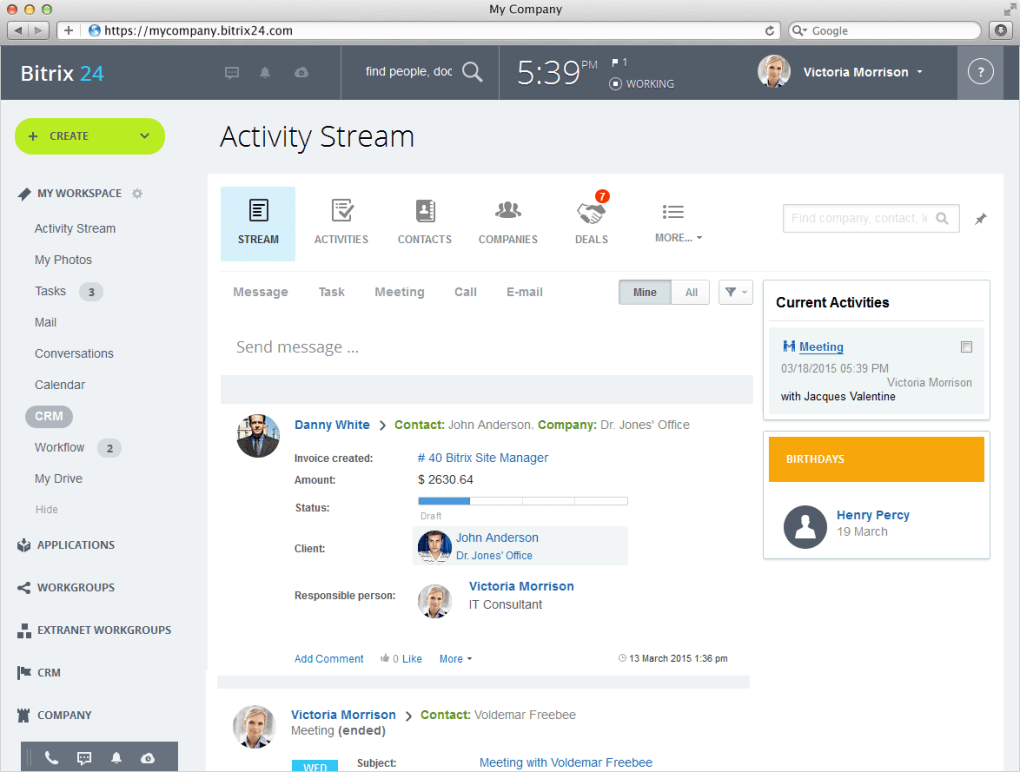
Bitrix24 is a cloud‑based Customer Relationship Management (CRM) platform that targets small‑business owners who need an all‑in‑one solution for sales, marketing, project management, and internal collaboration. Designed with a modular mindset, Bitrix24 packs lead capture, pipeline tracking, task automation, document storage, and communication tools into a single dashboard. While the first impression of the interface can feel dense—especially for users who are not tech‑savvy—the underlying power of the platform becomes evident once the learning curve is overcome.
The software offers a 30‑day free trial that grants unrestricted access to most modules, allowing teams to experiment without immediate financial commitment. After the trial, Bitrix24 transitions to a subscription model that can be pricey for very small operations, but the breadth of features often justifies the cost for businesses that need a unified environment. Notably, Bitrix24 does not provide telephone support; instead, it relies on a knowledge base, community forums, and ticket‑based email assistance.
This support model may frustrate newcomers, yet the extensive online documentation helps bridge the gap. Overall, Bitrix24 positions itself as a scalable CRM that grows with a business, offering both free and paid tiers, robust automation, and a focus on keeping sales and internal workflows tightly connected.
Key Features of Bitrix24
- Lead Generation & Capture – Integrated web‑forms, live chat widgets, and email parsing automatically turn visitor data into qualified leads.
- Sales Pipeline Management – Customizable pipelines, visual Kanban boards, and drag‑and‑drop deal stages keep sales teams organized.
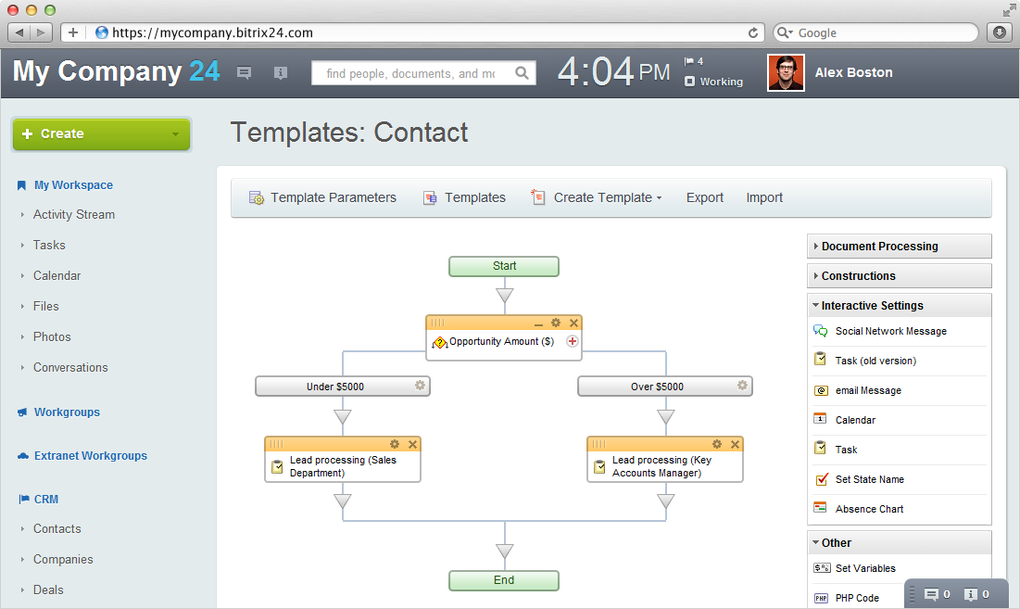
- Automation & Workflows – No‑code business process automation lets you trigger tasks, send notifications, or update records based on defined rules.
- Project Management Suite – Gantt charts, time tracking, and collaborative document editing enable teams to manage projects without leaving the CRM.
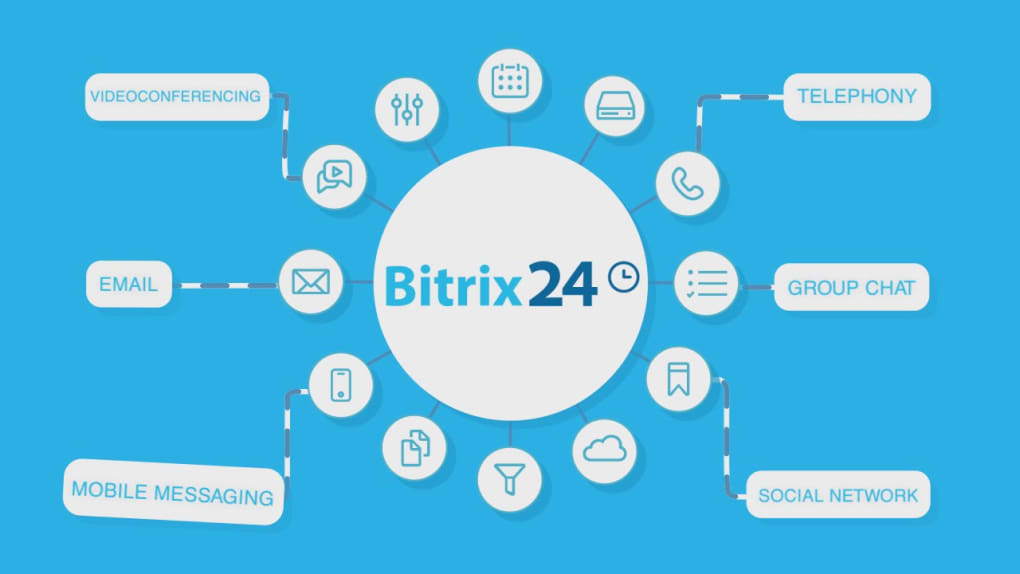
- Communication Hub – Built‑in chat, video conferencing, and telephony integration ensure internal and external communication stays in one place.
- Document Management & Cloud Storage – Secure file storage with version control, access permissions, and integration with popular services like Google Drive and Dropbox.
- HR & Employee Portal – Absence management, employee directory, and performance appraisal tools help small businesses manage their workforce.
- Mobile Apps – Native iOS and Android apps provide on‑the‑go access to contacts, tasks, and communication tools.
- Marketplace Extensions – A growing library of third‑party add‑ons and integrations (e.g., Zapier, Mailchimp) expands functionality.
- Security & Data Privacy – SSL encryption, two‑factor authentication, and GDPR‑compliant data handling keep information safe.
Installation, Usage & Compatibility
Getting started with Bitrix24 is straightforward because the platform is primarily cloud‑hosted. After signing up for the free trial, users receive a unique sub‑domain (e.g., yourcompany.bitrix24.com) that serves as the central portal. There is no need for a traditional installer on desktop computers; the web interface runs in any modern browser (Chrome, Firefox, Edge, Safari). For teams that prefer desktop shortcuts, Bitrix24 offers optional Electron‑based clients for Windows and macOS, which provide native notifications and offline caching.
Operating Systems Supported
Windows 10/11, macOS 10.14 and later, Linux (via web browser), iOS 13 and later, Android 8 and later.
Mobile installation follows the usual app‑store process. Simply search “Bitrix24” in the Apple App Store or Google Play Store, download the free app, and log in with your cloud credentials. The mobile client mirrors the core CRM and communication features, allowing sales reps to update deal stages, add notes, and start video calls directly from their smartphones.
For organizations that demand on‑premises deployment, Bitrix24 also offers a self‑hosted edition that can be installed on Windows Server or Linux environments. This version requires manual setup of a LAMP/LEMP stack, database configuration, and SSL certificate installation. The self‑hosted package is best suited for enterprises with strict data‑ residency requirements, though it adds complexity compared with the cloud version.
After logging in, new users are guided through an onboarding wizard that helps configure basic settings such as company profile, default pipelines, and user roles. While the wizard is helpful, the sheer number of options can feel overwhelming. It is advisable to start with a minimal configuration—activate only the CRM and communication modules you need—and gradually enable additional features as the team becomes comfortable. Regularly checking for software updates is crucial; Bitrix24 pushes updates automatically in the cloud version, ensuring you always have the latest security patches and feature enhancements without manual intervention.
Pros, Cons, FAQ and Final Verdict
Pros
- All‑in‑one platform eliminates the need for multiple disjointed tools.
- Extensive automation capabilities reduce manual data entry.
- Free 30‑day trial with full feature access.
- Robust mobile apps keep sales teams productive on the move.
- Strong security measures (SSL, 2FA, GDPR compliance).
Cons
- Steep learning curve; interface can appear cluttered to beginners.
- Lack of telephone support may frustrate less tech‑savvy users.
- Subscription pricing becomes expensive after the trial period.
- Self‑hosted version requires technical expertise for installation.
- Advanced reporting features are locked behind higher‑tier plans.
Frequently Asked Questions
Is Bitrix24 truly free after the trial?
Bitrix24 offers a forever‑free plan, but it is limited to basic CRM and communication tools. The 30‑day trial unlocks the full suite, after which you must choose a paid tier to retain advanced features.
Can I integrate Bitrix24 with my existing email system?
Yes. Bitrix24 supports IMAP/SMTP integration for major providers (Gmail, Outlook, Yahoo) and also offers native Outlook and Gmail add‑ins for seamless email tracking.
How secure is my data on Bitrix24?
Data is encrypted in transit with SSL/TLS and at rest using AES‑256. Two‑factor authentication, IP restrictions, and regular security audits help meet GDPR and other compliance standards.
Do I need a dedicated server for the cloud version?
No. The cloud edition runs on Bitrix24’s own servers, so you only need an internet connection and a compatible browser or mobile device.
Can I export my data if I decide to switch to another CRM?
Yes. Bitrix24 provides CSV and Excel export options for contacts, deals, and tasks. The self‑hosted version also allows direct database access for custom migrations.
Conclusion – Should You Download Bitrix24?
For small businesses searching for a single solution that covers CRM, project management, and internal communication, Bitrix24 remains one of the most comprehensive options on the market. Its free trial lets you test every feature without commitment, and the cloud‑based architecture ensures you stay up‑to‑date automatically. While the interface demands a bit of patience and the pricing can climb for larger teams, the value delivered—especially the automation engine and mobile accessibility—often outweighs the downsides. If you’re ready to consolidate multiple SaaS tools into a unified workspace and can allocate a few hours to the initial setup, download Bitrix24 today and give your small business a scalable, secure CRM foundation.







